Every page navigation on the web is a cold start. The user clicks a link, the browser fetches the HTML, parses it, fetches subresources, runs scripts, and paints. Even on a fast site, this takes hundreds of milliseconds. On a slow connection, it takes seconds.
This blog is a Next.js app deployed on Vercel. Page transitions were already fast, sub-second, but they were not instant. You could feel the gap between clicking a blog post title and seeing the content. It was not slow enough to be a problem. It was slow enough to notice.
Then I added this to the root layout:
Navigations to blog posts became instant. Not "fast." Instant. The page is already rendered in a hidden tab before you click. The browser just swaps it in.
What the Speculation Rules API does
The Speculation Rules API lets you declaratively tell the browser which pages the user is likely to navigate to, so it can prefetch or prerender them in advance.
There are two levels of speculation:
· Prefetch fetches the HTML document (and optionally subresources) but does not render it. When the user navigates, the browser still needs to parse, execute scripts, and paint. This saves the network round-trip but not the rendering cost.
· Prerender goes further: the browser renders the page in a hidden tab, fully executing scripts and building the DOM. When the user navigates, the browser swaps the prerendered page in with near-zero delay.
This is not new in concept. Browsers have had <link rel="prefetch"> for years. But the Speculation Rules API differs in two important ways. First, prefetched resources are stored in memory, not the HTTP cache, which makes retrieval faster. Second, the API supports document-level rules that match URL patterns, so you don't need to enumerate every link manually.
How this blog uses it
The speculation rule in this blog's layout.tsx targets all blog post pages:
In Next.js (App Router), you add this to the <head> in your root layout. The dangerouslySetInnerHTML is necessary because React won't render children of script tags with unknown types.
You can verify it works in Chrome DevTools → Application → Speculative loads:
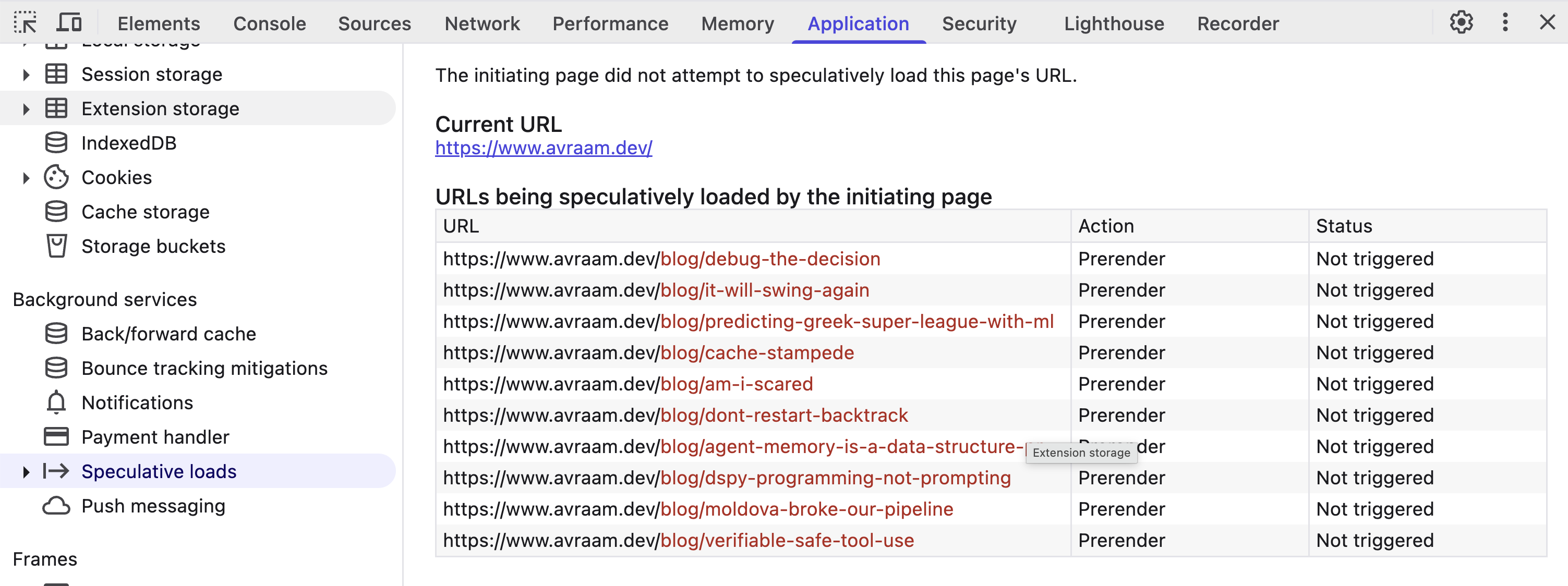
Once you hover over a link, the status changes to "Ready" and the page is prerendered in a hidden tab.
A couple of things worth noting: prerendered pages execute JavaScript, so make sure your analytics provider checks document.prerendering to avoid double-counting pageviews (Vercel Analytics handles this). Also, on mobile, browsers are more conservative with prerendering. Chrome on Android uses viewport-based heuristics to limit it to visible links.
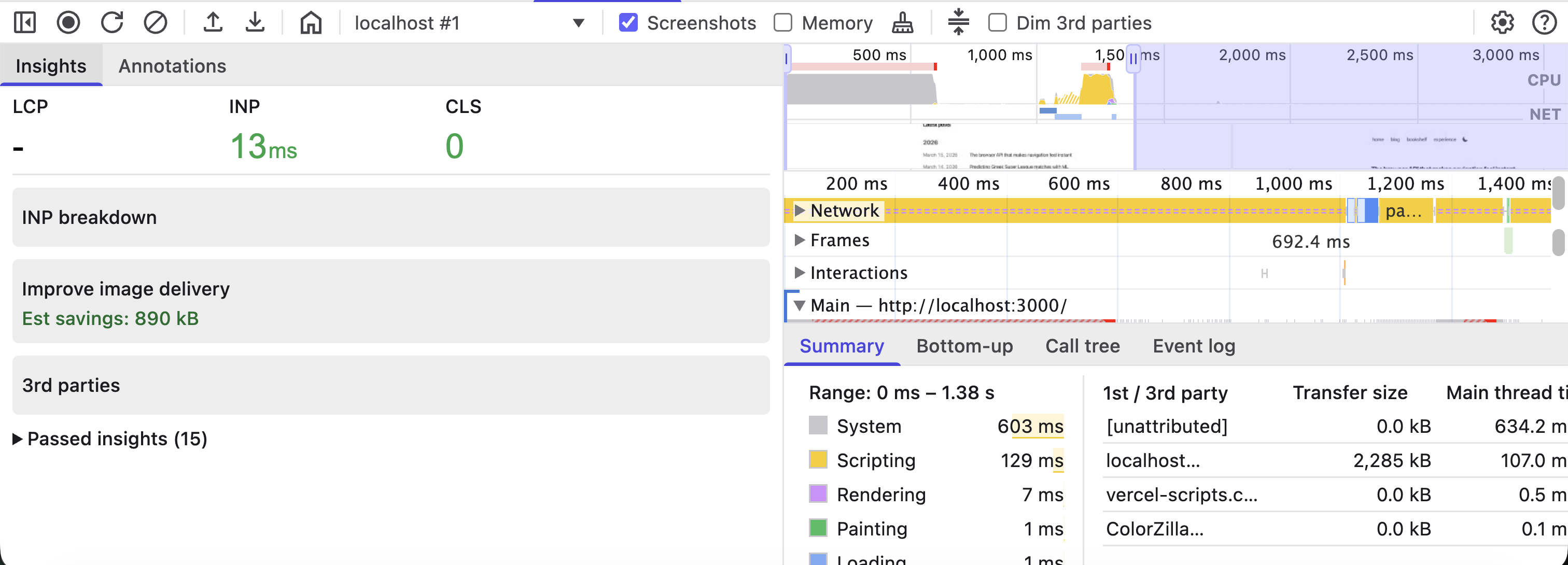
Here is a navigation without prerendering: 2,285 kB transferred, 129ms scripting, 692ms on frames:
And the same navigation with prerendering: 0 kB transferred, 15ms scripting, 42ms frames:
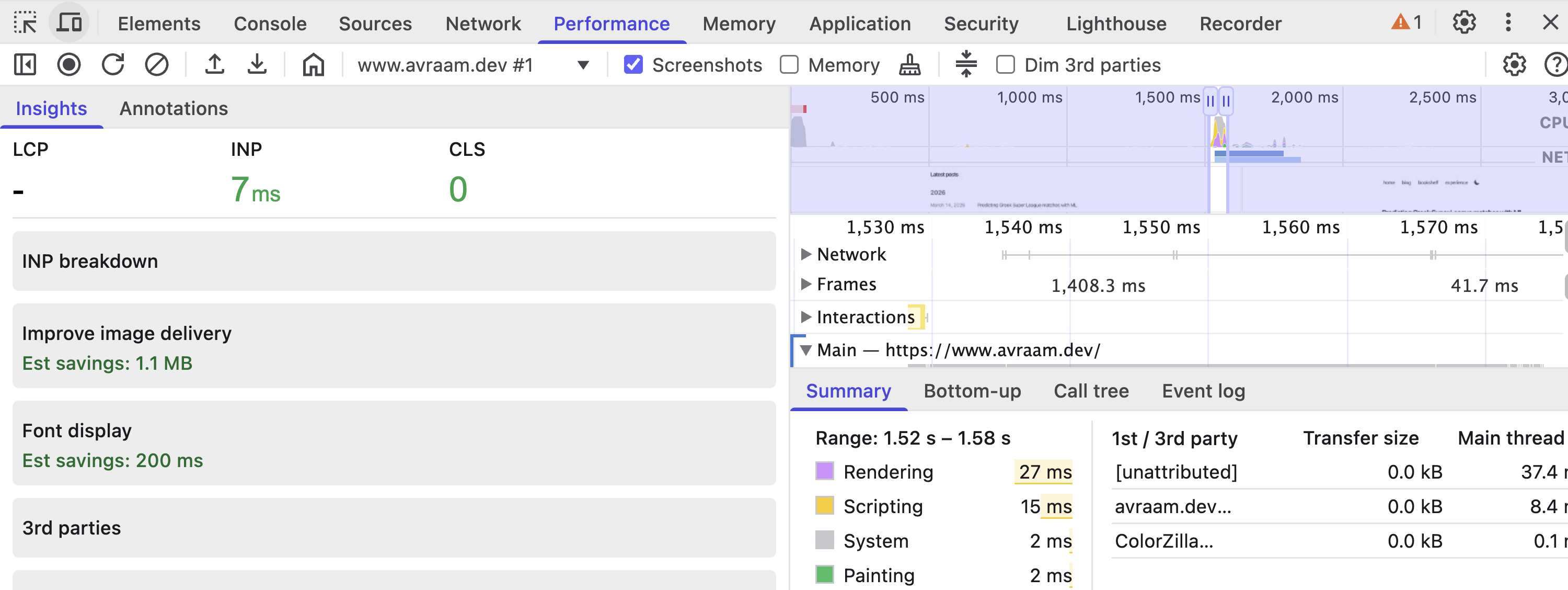
The work did not disappear. It happened earlier, while the user was still deciding what to click.
Prefetch vs. prerender: when to use which
Prerender is heavier: a full page render costs CPU, memory, and network. For low-confidence links, prefetch is safer. You can combine both: prefetch all internal links on hover (cheap) and prerender only high-confidence targets like blog posts.
What it replaced
Before adding speculation rules, this blog relied on Next.js's built-in link prefetching, which prefetches the route's JavaScript bundle on hover. That helps with code loading but does not prerender the page. The browser still needs to execute the JavaScript, fetch data, and paint.
Speculation rules operate at a lower level: the browser prerenders the entire page, not just the code. The two mechanisms complement each other: Next.js prefetches the JavaScript, and the Speculation Rules API prerenders the result.
Fifteen lines of JSON. No framework migration, no build step, no edge functions. The browser does the work.